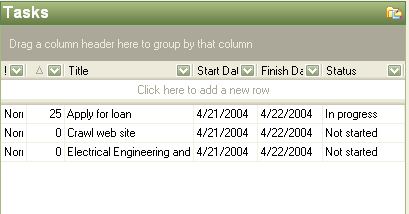
Tasks mode lists all of the tasks that match the filter settings set in the navigation pane. You can open a task by double clicking on it, or display its metadata Information about a piece of data. This could include, for example, the author, a description, categories and the file type. in the Header Panel by single clicking it. Right clicking within the list enables you to create a new task, delete a task, find the task within the tree and show the tasks properties.
.
The tasks can be sorted by clicking on the header of each column. The sort order can be reversed by clicking on the column header a second time. Groups can be created by dragging column headers into the gray grouping area above the columns. Multiple nested A display mechanism that shows a related item below and slightly to the right of the item above it groups can be created by dragging additional column headers under each other in the group area. Grouping can be eliminated by dragging headers back to their original location.