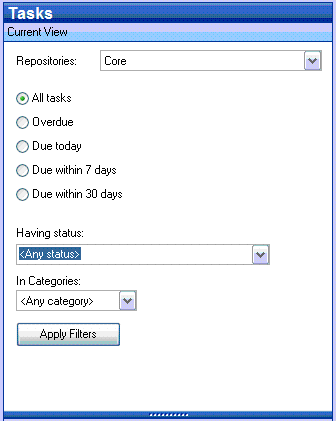
 The Current View panel enables you to apply filters
to the list of tasks displayed in the Content
pane. Click
on a radio button to restrict the task list to those matching the selected
time based criteria. Use
the "Having status" drop down menu to restrict the list by degree
of completion. Both
time and status filters can be applied simultaneously. Select
the "In Categories" drop down menu to filter the list of tasks
to those having the categories assigned.
The Current View panel enables you to apply filters
to the list of tasks displayed in the Content
pane. Click
on a radio button to restrict the task list to those matching the selected
time based criteria. Use
the "Having status" drop down menu to restrict the list by degree
of completion. Both
time and status filters can be applied simultaneously. Select
the "In Categories" drop down menu to filter the list of tasks
to those having the categories assigned.