The Attributes Tab
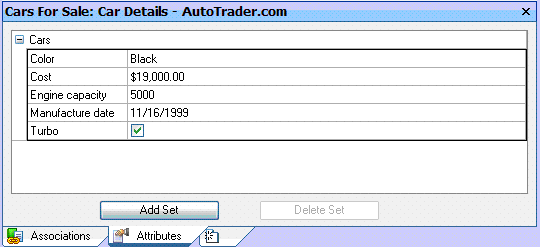 The Attributes tab in the Split View lists all attribute
sets assigned to the item selected in the All Folders tree. Sets
can be expanded by clicking the [+] next to their names and collapsed
by clicking the [-]. New
sets can be added by clicking the [Add Set] button
and sets removed by clicking the [Delete Set] button (note: this does
not delete the set definition just its association with the selected item
and the values it holds for the item). Attribute
values can be edited and check boxes checked or unchecked.
The Attributes tab in the Split View lists all attribute
sets assigned to the item selected in the All Folders tree. Sets
can be expanded by clicking the [+] next to their names and collapsed
by clicking the [-]. New
sets can be added by clicking the [Add Set] button
and sets removed by clicking the [Delete Set] button (note: this does
not delete the set definition just its association with the selected item
and the values it holds for the item). Attribute
values can be edited and check boxes checked or unchecked.