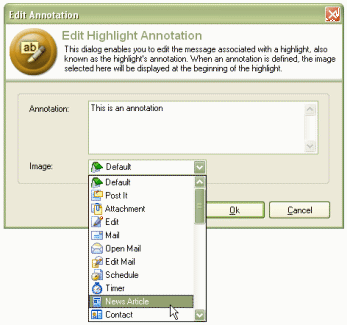
Annotations enable you to insert small notes directly into highlighted areas of web pages or email. An icon is inserted at the beginning of the highlighted section to indicate that an annotation A short note usually placed within another document. exists. Mousing over the icon reveals the text of the annotation in a popup A secondary browser window that appears automatically when a web page is loaded. window.
Right click on a highlighted area within a web page.
Select [Edit Annotation ].
Enter the text of the annotation and select an appropriate icon to represent it from the drop down menu.
Click [OK] when you are done.
Right click on a highlighted area within a web page.
Select [Delete Annotation ].
 Tip: Take
a look at the video tutorial on highlighting and annotating
Tip: Take
a look at the video tutorial on highlighting and annotating